

NEW: Package & Client Management for Service Providers | See How It Works

#1 Calendly WordPress Plugin – Do More With Your Booking Page

Increase Booking Completion Rate​ with Limited Availability

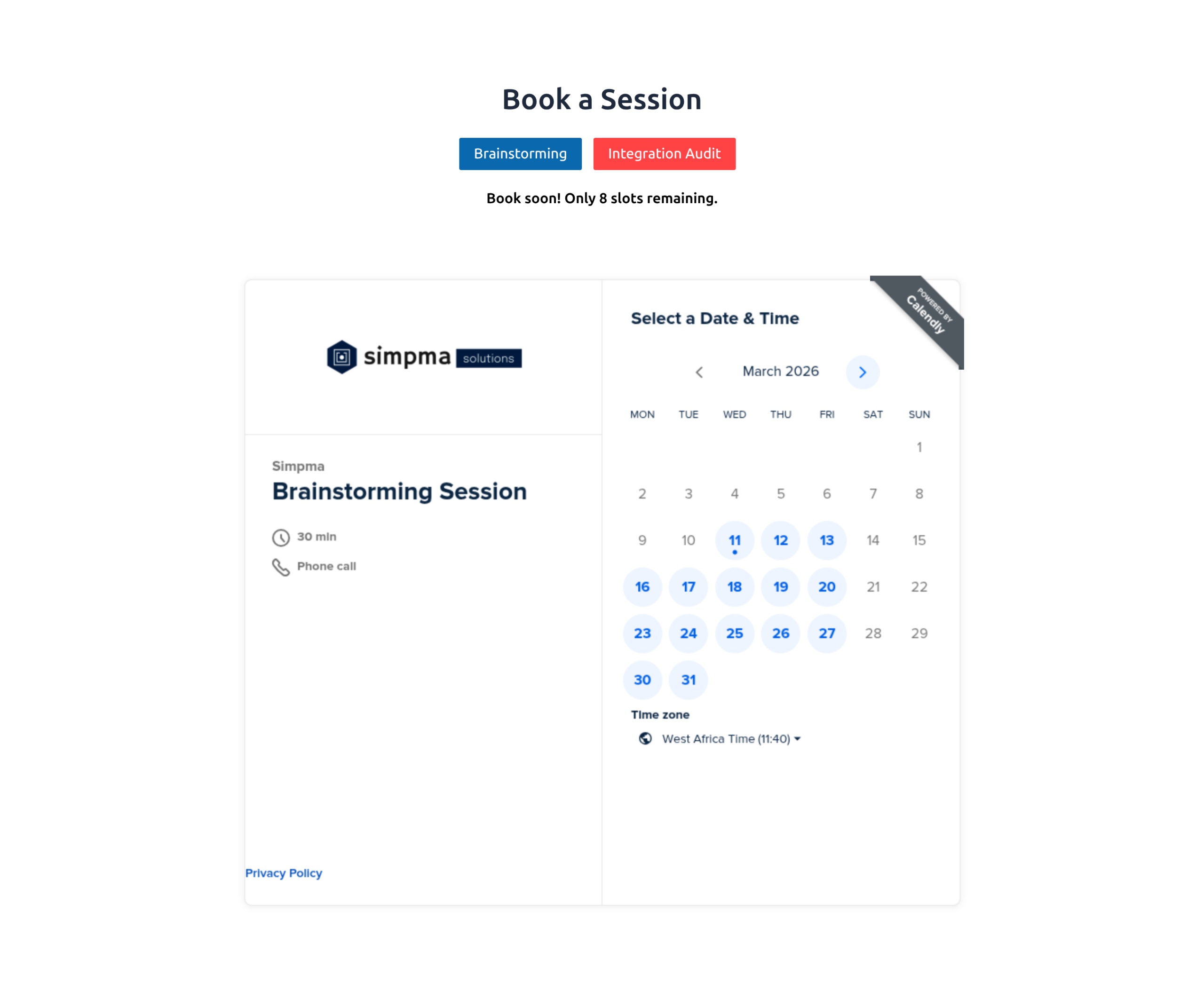
Show real-time availability like “Only 2 slots left” on your scheduling widget. EMC Pro nudges visitors to book faster while keeping the experience transparent and stress-free.

Display availability indicator above Calendly widget

Watch How To Improve Your Booking Completion Rate With EMC Pro

NEW FEATURES

Redirect Users Within WordPress

Guide Visitors After They Book

Redirect users to a thank-you page, upsell, or special offer after booking. EMC Pro ensures every scheduled appointment drives maximum value for your business.

Turn More Visitors into Booked Clients

Actionable Analytics Dashboard

Understand how visitors interact with your booking page and optimize your scheduling process.

– Track visitor behavior to improve engagement
– See where clients drop off and optimize workflows
– Gain insights that drive smarter booking decisions

add calendly to woocommerce order page

Generate More Revenue From Booking Integration

Turn Purchases into Appointments

Automatically display a Calendly widget on WooCommerce order “Thank You” pages. Capture booked appointments immediately, upsell additional services, and streamline client onboarding, all in one seamless flow.

Dynamic Embedder for Multiple Event Types

Embed Multiple Calendars

With EMC, you can offer several booking choices without overwhelming visitors. Visitors can easily pick the right session without switching tabs or leaving your site, improving booking completion.
embed multiple calendly event types in a wordpress page
REVIEWS

Instead of having to mess with all the Calendly embed code, this plugin makes embedding easier.

@webjive

Thank you! it’s working great!

@husseinrezaei

Easy embed, customizer, multiple event types

@andreapater

Simple to install and works flawlessly. Thank you.

@timjco

Even the free version of the Calendly plugin works fine on my website. Just what I needed! Very user-centric.

@defotoverij

Really easy to schedule a personal Zoom room for customers.

@shaiyaofolena

I’ve added this plugin to our website with the aim of having Calendly appearing seamlessly embedded in various appointment scheduling pages.

Works a charm.

Easy setup with several embedding options, does not slow the page down and looks professional.

Would recommend.

@enrouteams

This app does what it says it should and it has little to no setup issues. I use it for 3 of my clients.

@adubonic

EMC vs Manual Embed

Comparison between EMC Scheduling Manager WordPress plugin and manual Calendly embed
Feature EMC Plugin Manual Calendly Embed
Easy WordPress Integration One-click setup, no code needed Requires copying/pasting embed code
Elementor Support Drag-and-drop EMC widget Manual HTML widget workaround
Booking Analytics Built-in analytics dashboard Requires external tools or GA setup
Auto Email Reminders Automated from WordPress Limited to Calendly workflows
Event Type Import Import & manage in WP Not available
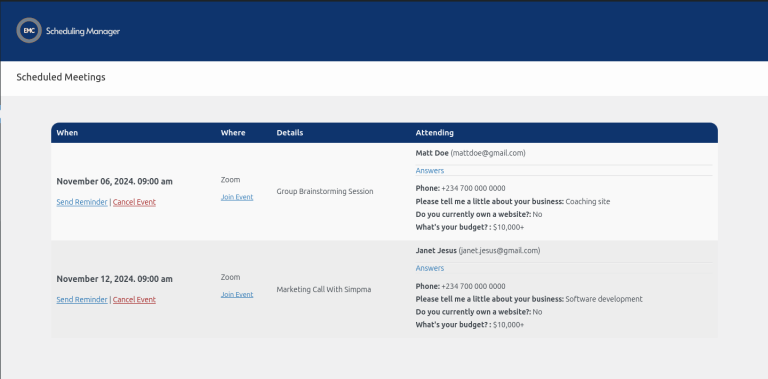
View/Manage Meetings From your WordPress dashboard Must switch to Calendly dashboard
See detailed comparison guide >>
Downloads
300,000+
Actively Trusted By
10,000+
Ratings
Rated 5 out of 5

FEATURED FAQ

EMC Scheduling Manager is a top-rated WordPress plugin for embedding Calendly features. It lets you add your booking widget to posts, pages, or Elementor layouts, automate reminders, and view meeting data directly in WordPress.

Yes! EMC Scheduling Manager includes a native Elementor widget for Calendly so you can drag, drop, and customize your booking widget directly in Elementor, no coding required.

Absolutely. EMC Scheduling Manager goes beyond basic embed codes by offering analytics, automation, shortcode flexibility, and full WordPress dashboard integration.

Yes. You can import all your Calendly event types into WordPress and generate shortcodes instantly to place them wherever needed.

Yes, you can start with the free version for basic functionality. Upgrade to EMC Pro for advanced features like automated reminders, analytics, and full Elementor integration.

Yes. With automated email reminders and notifications, EMC helps reduce no-shows and keeps your calendar running smoothly.

EMC is compatible with most WordPress themes, supports both Gutenberg and Elementor, and receives regular updates to ensure smooth operation.

Yes. EMC provides a built-in analytics dashboard so you can track booking activity, client interactions, and optimize your scheduling workflow.

WHY EMC Scheduling Manager Stands Oout

Easy WordPress Integration
Install the plugin, add your scheduling widget, and manage bookings effortlessly.

Automated Email Reminders
Reduce no-shows with reminders sent directly from WordPress.

Manage Meetings Inside WordPress
Access, edit, and cancel appointments without leaving your site.

Actionable Analytics Dashboard
Track engagement and booking behavior with built-in insights.

Works with Elementor
Use the native EMC Elementor widget to place your booking tool exactly where you want it.

Scroll to Top